💻 Installing n8n
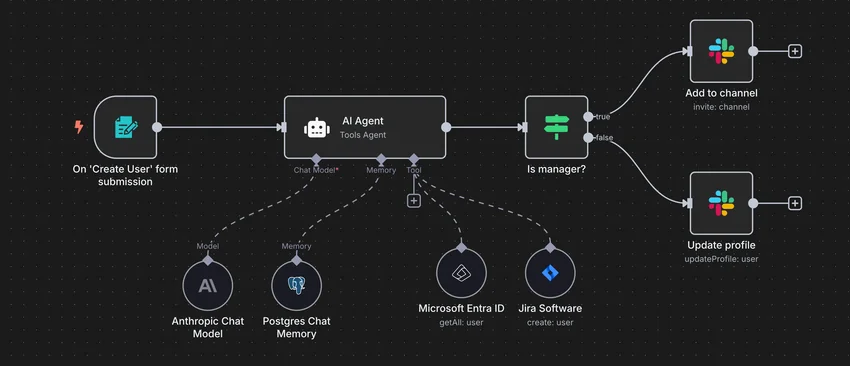
n8n is an open-source automation platform that lets you connect apps and APIs to create workflows with little or no code. This documentation covers how to install, configure, and operate n8n in a self-hosted setup, along with practical tips and examples to help you build reliable automations quickly.
Info
The project is open-source and can be downloaded here: https://github.com/n8n-io/n8n.
📥 Installation
📋 Requirements
🐳 Install n8n
The use of Docker Compose will automate the installation of n8n container.
🔧 Setup n8n Parameters
Before deploying, you need to define a few environment variables that will be used throughout the setup process.
BASE_URL: public URL where the web service is accessibleHOST_PORT: external port used by NGINX to route traffic to the serviceSMTP_HOST: address of the SMTP serverSMTP_USER: username for authenticating with the SMTP serverSMTP_PWD: password or app-specific token for SMTP authentication
# example of configuration for environment parameters
BASE_URL=https://n8n.domain.fr
HOST_PORT=10040
SMTP_HOST=smtp.gmail.com
SMTP_USER=user@gmail.com
SMTP_PWD="baoi lvyi cgev wzzq"
⚙️ Configure n8n for Docker Compose
n8n can be deployed using Docker Compose.
The compose.yml file will automatically incorporate the environment variables configured in the previous step.
You can copy, paste, and run all of the following commands directly in your terminal.
# create docker directory
mkdir n8n && cd n8n
mkdir -p data/n8n data/postgres-db
# setup of compose.yml
tee compose.yml > /dev/null <<'EOF'
services:
  n8n-server:
    image: n8nio/n8n:latest
    container_name: n8n-server
    user: "${PUID}:${PGID}"
    volumes:
      - ./data/n8n:/home/node/.n8n:rw
    env_file:
      - .env
    environment:
      - DB_TYPE=postgresdb
      - DB_POSTGRESDB_HOST=n8n-postgres
      - DB_POSTGRESDB_DATABASE=${PG_DB}
      - DB_POSTGRESDB_USER=${PG_USER}
      - DB_POSTGRESDB_PASSWORD=${PG_PASSWORD}
    ports:
      - ${HOST_PORT}:5678
    depends_on:
      n8n-postgres:
        condition: service_healthy
    healthcheck:
      test: ["CMD", "wget", "--spider", "-q", "http://127.0.0.1:5678/"]
      start_period: 180s
      start_interval: 5s
      interval: 60s
      timeout: 1s
      retries: 3
    restart: unless-stopped

  n8n-postgres:
    image: postgres:16-alpine
    container_name: n8n-postgres
    volumes:
      - ./data/postgres-db:/var/lib/postgresql/data:rw
    environment:
      - POSTGRES_DB=${PG_DB}
      - POSTGRES_USER=${PG_USER}
      - POSTGRES_PASSWORD=${PG_PASSWORD}
    healthcheck:
      test: ["CMD", "pg_isready", "-U", "${PG_USER}", "-d", "${PG_DB}"]
      start_period: 30s
      start_interval: 5s
      interval: 60s
      timeout: 1s
      retries: 3
    restart: unless-stopped
EOF
# setup of .env file
tee .env > /dev/null <<EOF
###################################################################################
# Run as non-root user
###################################################################################
PUID=$(id -u)
PGID=$(id -g)

###################################################################################
# NGINX Proxy Configuration
###################################################################################
HOST_PORT=${HOST_PORT}

###################################################################################
# Postgres Database Configuration
###################################################################################
PG_DB=n8n
PG_USER=n8n
PG_PASSWORD=$(openssl rand -hex 16)

###################################################################################
# n8n URL Configuration
###################################################################################
N8N_EDITOR_BASE_URL=${BASE_URL}
WEBHOOK_URL=${BASE_URL}/webhook

###################################################################################
# n8n Generic Configuration
###################################################################################
N8N_ENCRYPTION_KEY=$(openssl rand -hex 16)
N8N_ENFORCE_SETTINGS_FILE_PERMISSIONS=false
N8N_TRUST_PROXY=true
N8N_PROXY_HOPS=1
GENERIC_TIMEZONE=Europe/Paris
N8N_PUBLIC_API_DISABLED=true
N8N_PUBLIC_API_SWAGGERUI_DISABLED=true
N8N_HIRING_BANNER_ENABLED=false
N8N_TEMPLATES_ENABLED=true
N8N_RUNNERS_ENABLED=true

###################################################################################
# n8n Email Configuration (for SMTP)
###################################################################################
N8N_EMAIL_MODE=smtp
N8N_SMTP_HOST=${SMTP_HOST}
N8N_SMTP_PORT=465
N8N_SMTP_USER=${SMTP_USER}
N8N_SMTP_PASS="${SMTP_PWD}"
N8N_SMTP_SSL=true
N8N_SMTP_STARTTLS=false
EOF
Keep the .env file
All the secret informations will be stored in the .env file.
🐳 Install n8n with Docker Compose
Now that the compose.yml file has been generated, it's time to install all the containers.
# install and start the container
docker compose up -d
🚀 Deploy n8n
Install NGINX
NGINX needs to be installed, follow the NGINX section.
Configure NGINX
NGINX needs to be configured using a file in /etc/nginx/sites-enabled directory.
This configuration file specify the documentation path:
server {
  server_name n8n.domain.fr;

  # setup 404 error_page
  error_page 404 /404.html;
  include snippets/error-404.conf;

  # reverse proxy
  location / {
    proxy_pass http://127.0.0.1:10040;

    # keep it HTTP/1.1
    proxy_http_version 1.1;

    # websocket support (required for real-time notifications)
    proxy_set_header Upgrade $http_upgrade;
    proxy_set_header Connection "upgrade";

    # forwarded headers
    include proxy_params;
    proxy_set_header X-Forwarded-Host $host;
    proxy_set_header X-Forwarded-Port $server_port;

    # application-specific tuning
    proxy_read_timeout 600s;
    proxy_send_timeout 600s;
    client_max_body_size 100M;
    proxy_buffering off;
    proxy_redirect off;
  }
}
# restart nginx
sudo nginx -t && sudo service nginx restart
Replace
n8n.domain.frby the name of your website.
Activate HTTPS
To activate HTTPS protocol, follow the Let's Encrypt section.
⚙️ Configure n8n
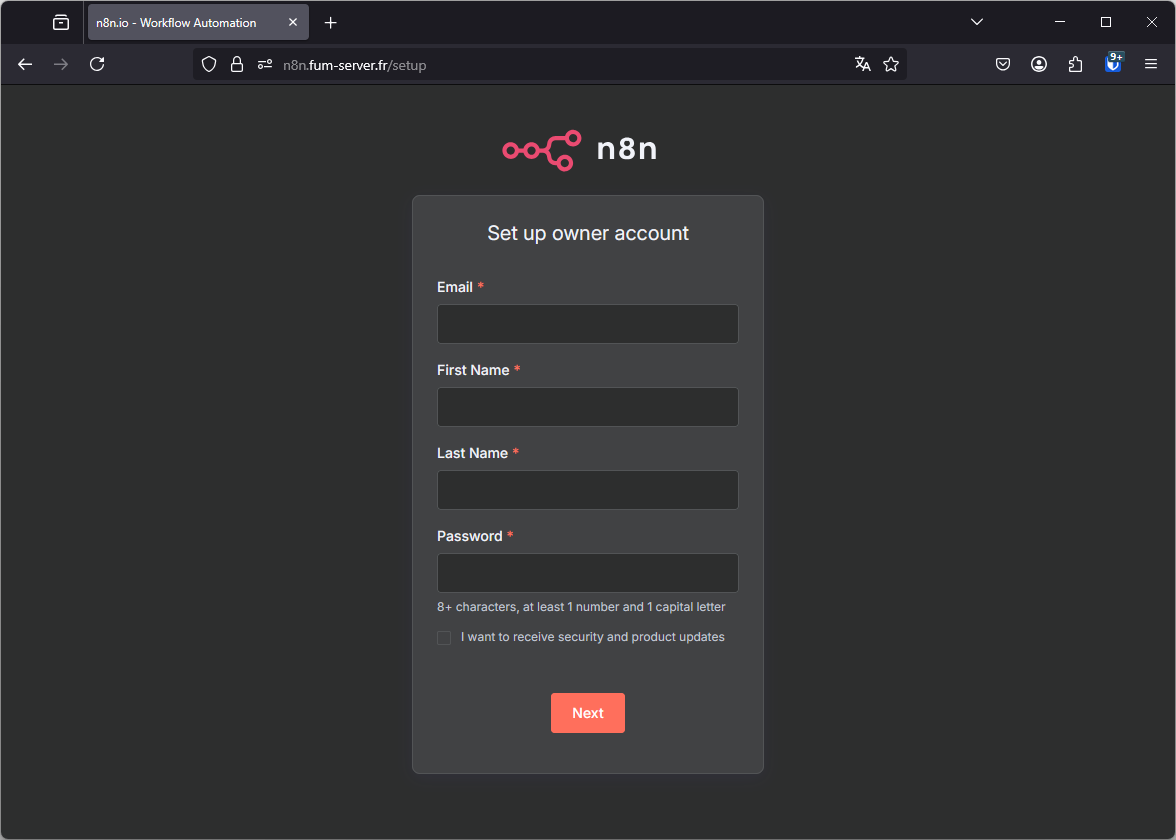
Setup the n8n admin account immediately
The default installation exposes an unsecured admin interface.
To protect your workflows and credentials, you must create the admin account right after launching n8n.