Cross-Compiling for STM32 using CMake
Introduction
STM32 is a family of 32-bit processors by ST-Microelectronics, based on ARM Cortex-M designs.
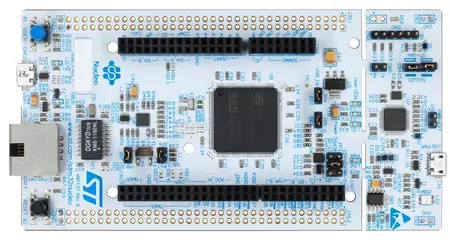
STM32F429ZIT6 Nucleo board
The device used in this tutorial will be the STM32F429ZIT6 board.
 The STM32F427xx and STM32F429xx devices are based on the high-performance Arm® Cortex®-M4 32-bit RISC core operating at a frequency of up to 180 MHz. The Cortex-M4 core features a Floating point unit (FPU) single precision which supports all Arm® single-precision data-processing instructions and data types. It also implements a full set of DSP instructions and a memory protection unit (MPU) which enhances application security.
The STM32F427xx and STM32F429xx devices incorporate high-speed embedded memories (Flash memory up to 2 Mbyte, up to 256 Kbytes of SRAM), up to 4 Kbytes of backup SRAM, and an extensive range of enhanced I/Os and peripherals connected to two APB buses, two AHB buses and a 32-bit multi-AHB bus matrix.
All devices offer three 12-bit ADCs, two DACs, a low-power RTC, twelve general-purpose 16-bit timers including two PWM timers for motor control, two general-purpose 32-bit timers. They also feature standard and advanced communication interfaces.
Required Tools
Info
Each tools needs to be installed on the system in order to build a firmware for STM32F429.
ARM GNU Toolchain
ARM GNU Toolchain is a community supported pre-built GNU compiler toolchain for Arm based CPUs.
Info
Extract the toolchain for example in C:\arm-toolchain directory.
For other ARM toolchain: https://developer.arm.com/downloads/-/arm-gnu-toolchain-downloads
CMake
CMake is a standard tool to build C and C++ projects.
STM32CubeMX
STM32CubeMX is a graphical tool that allows a very easy configuration of STM32 microcontrollers and microprocessors, as well as the generation of the corresponding C initialization code provided by ST. This is the easy way to get a working BSP (Board Support Package) for the Nucleo board.
STM32 ST-LINK Utility
STM32 ST-LINK Utility is a full-featured software interface for programming STM32 microcontrollers.
Ninja
Ninja's low-level approach makes it perfect for embedding into more featureful build systems.
Info
Install the Ninja.exe file in the C:\Windows\System32 Windows directory.
Cross-Compiling
Create the BSP
Start STM32CubeMX to create a working BSP for the Nucleo board.
-
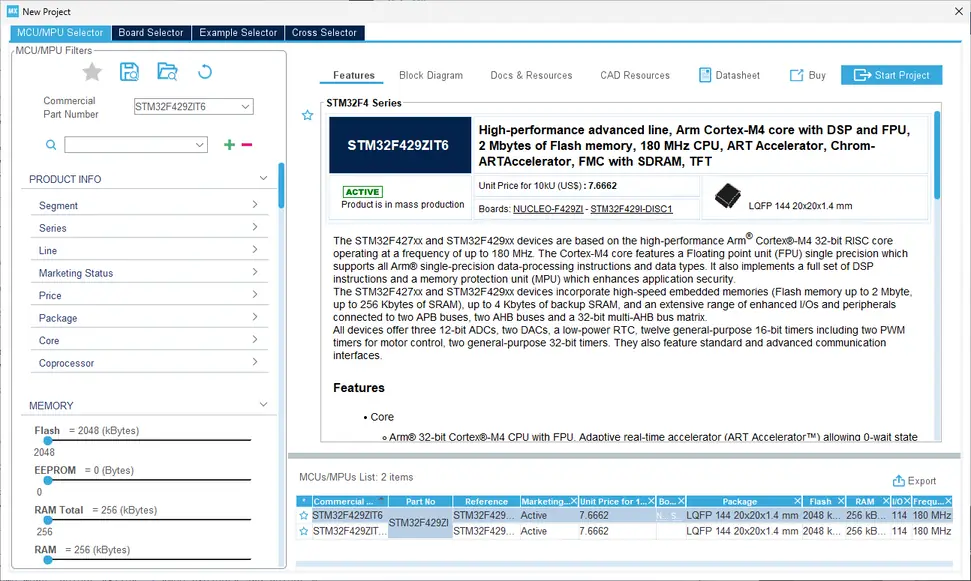
On the home menu, select File => New Project and select *STM32F429ZIT6"
-
Click Start Project on the top right corner of the screen
-
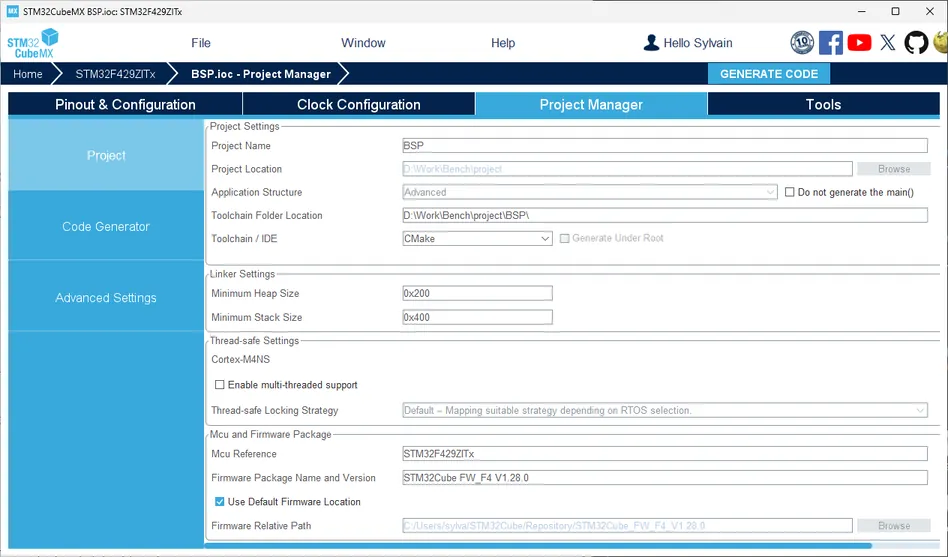
Go to Project Manager to configure the Project Settings
-
Fill the Project Name and Project Location fields
- Set the Toolchain Folder Location with the ARM GNU Toolchain previously installed
- Set Toolchain / IDE to CMake
- Click on the Generate CODE button on the top right corner of the screen
Building Firmware
To build a new firmware using the previously created Board Support Package (BSP), follow these steps:
- Open a terminal and navigate to the directory containing the BSP, where the
CMakeLists.txtfile is located. - Within the
CMakeLists.txtfile, locate the section between Setup compiler settings and Define the build type. - Add the following line to the file:
Here,
LIST(APPEND CMAKE_PROGRAM_PATH "C:/arm-toolchain/bin" ...)"C:/arm-toolchain/bin"should be replaced with the actual path to the ARM GNU Toolchain that was previously installed on your system.
This addition will ensure that CMake recognizes the ARM toolchain path during the build process.
cd BSP-Directory
mkdir build && cd build
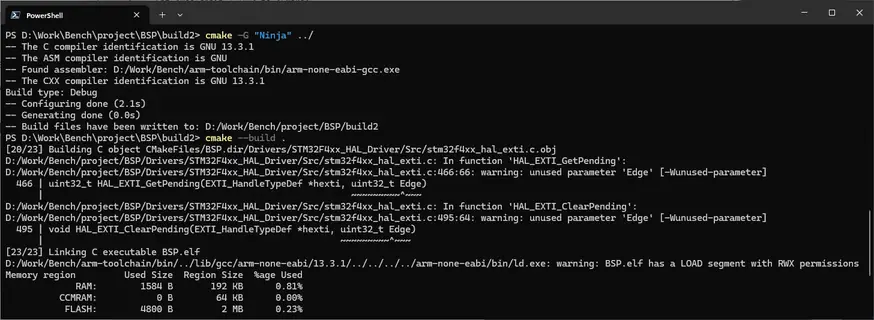
cmake -G "Ninja" ../
cmake --build .