🎬 MKV StreamForge
Introduction

A Windows utility to clean up MKV and MP4 collections: drop the tracks you don't want and fix track, title, and date metadata, then apply everything in one pass.
Track removal is a fast, lossless mkvmerge stream copy (no re-encoding); metadata-only fixes use mkvpropedit with no remux at all.
Output is always Matroska (.mkv).
Built for TV series and large media collections where track layouts vary between seasons or releases, MKV StreamForge lets you process an entire collection in one pass: review every file, decide what to keep and correct, then rebuild each one in place with a clean, consistent structure.
Everything you change is staged — nothing is written to disk until you click Remux. The colours tell you what needs attention, and most of it is fixed automatically when you apply.
📥 Installation
Download and run the installer: MKV StreamForge 2.5.1 (Windows x64)
Optional: VLC
If VLC is installed in its default location, you can preview any track straight from the Stream Selector with Ctrl + right-click.
✨ Key Features
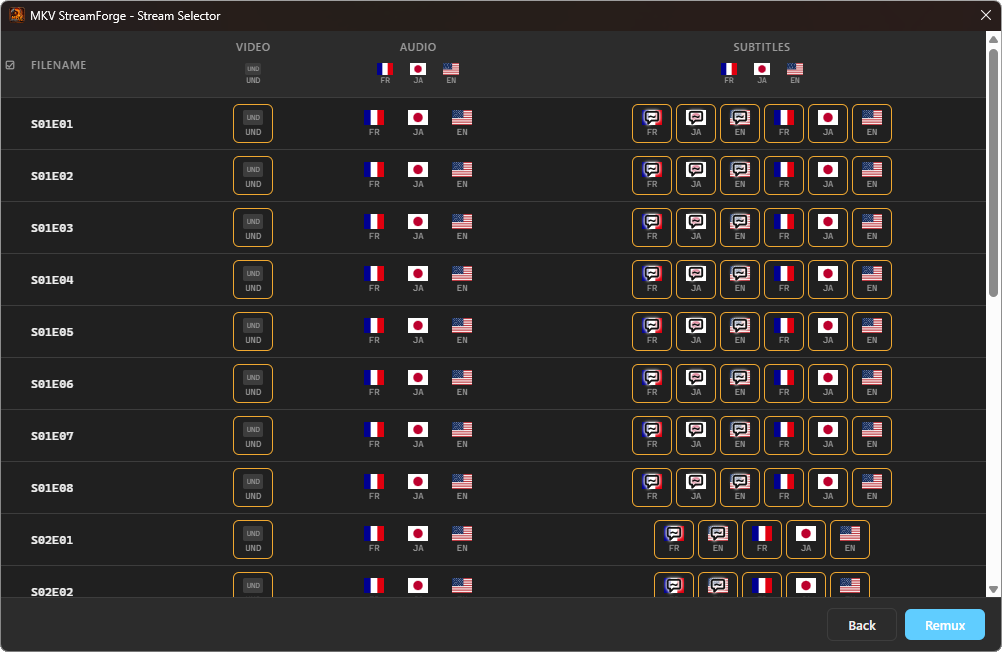
- Review a whole collection at once — one row per file, one flag chip per track
- Keep or drop tracks with one click — or toggle a whole language across every file at once
- Fix language tags — per track or in bulk, normalised to clean IETF tags (
fre→fr) - Fix film titles and dates — and rename episodes to
SXXEXX.mkvautomatically - Lossless and safe — no re-encoding, staged changes, atomic in-place replace
- Fast — metadata-only fixes are header edits, no remux at all
| Drop | Probe | Apply |
|---|---|---|
 |
 |
 |
🚀 How it works
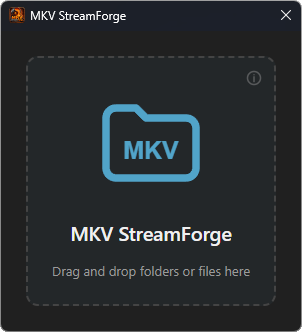
- Drop — drag folders or files onto the window;
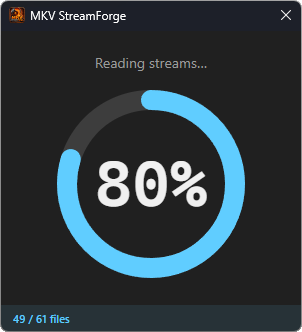
.mkvand.mp4files are found recursively. - Probe — click Review streams: every file is scanned and its tracks shown in one table.
- Review — keep or drop tracks, fix languages, titles, and dates. Everything is staged; nothing is written yet.
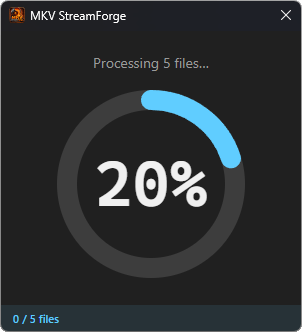
- Remux — apply all staged changes in one pass. Each file is rewritten in place, and touched at most once.
🎛️ The Stream Selector
One row per file, one column per track type (Video / Audio / Subtitles), one flag chip per track. For films, two extra columns appear: Title and Date.
🎨 Colour code
Everything follows the same colour language:
| Colour | Meaning | What Remux does with it |
|---|---|---|
| Grey / no border | Clean — nothing to do | Nothing |
| Orange chip | Track metadata is out of sync | Fixed automatically |
| Orange Title / Date cell | Needs attention (empty or conflicting) | Nothing — it's a reminder, only a staged value is written |
| Blue | An edit you staged | Writes your choice |
| Faded chip | Track dropped | Track removed from the file |
Orange chips fix themselves
You never have to fix an orange chip by hand — every one of them is corrected automatically by the next Remux (language, role flags, and track name). Only an orange Title / Date cell waits for you: edit it, or right-click to auto-resolve.
🖱️ Mouse cheat sheet
| Track chip | Filter chip (column header) | Title / Date cell | |
|---|---|---|---|
| Left-click | Keep / drop the track | Keep / drop that language in all files | Edit the value (Enter to stage) |
| Middle-click | Pick a language (+ role for subtitles) | Reclassify that language in all files | — |
| Right-click | Stage the fix for an orange chip | — | Auto-resolve an orange cell |
| Ctrl + Right-click | Preview the track in VLC | — | — |
| Hover | Codec, language, bitrate | — | — |
Hover a filename to compare the original size with the estimated output size; click it to rename the file.
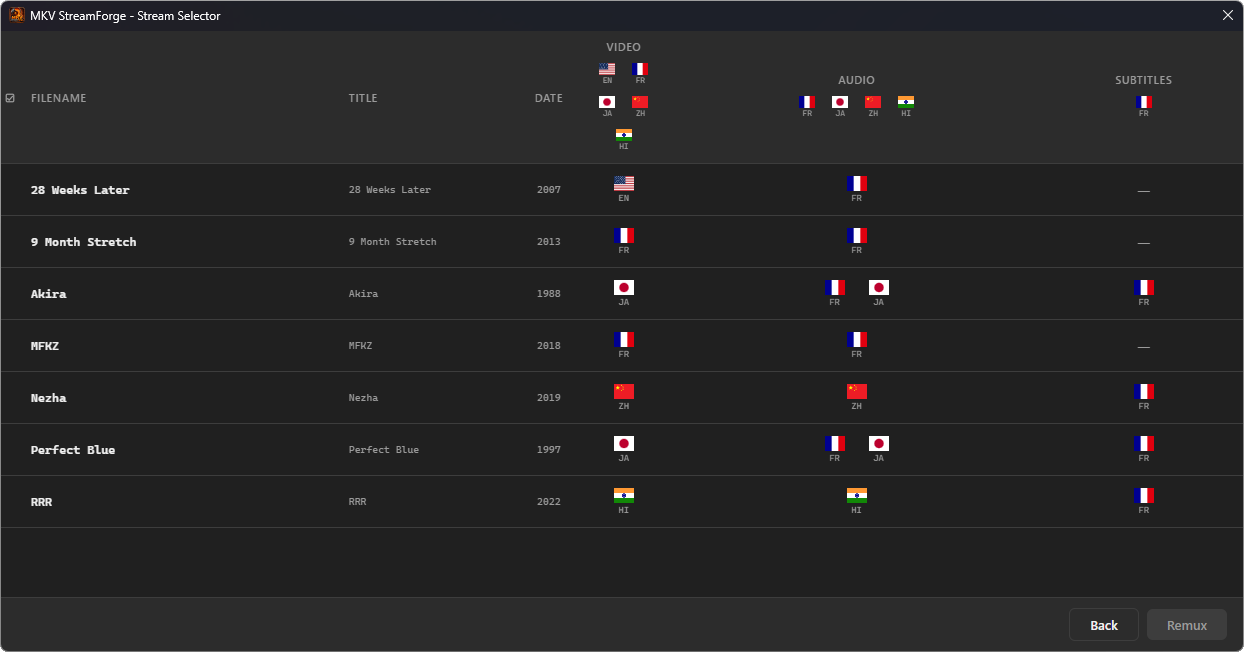
Bulk language fixes with filter chips
Each column header shows one filter chip per language found in the collection — perfect when a whole season is tagged wrong (e.g. und or en instead of fr).
- Left-click a filter chip to keep or drop every track of that language at once.
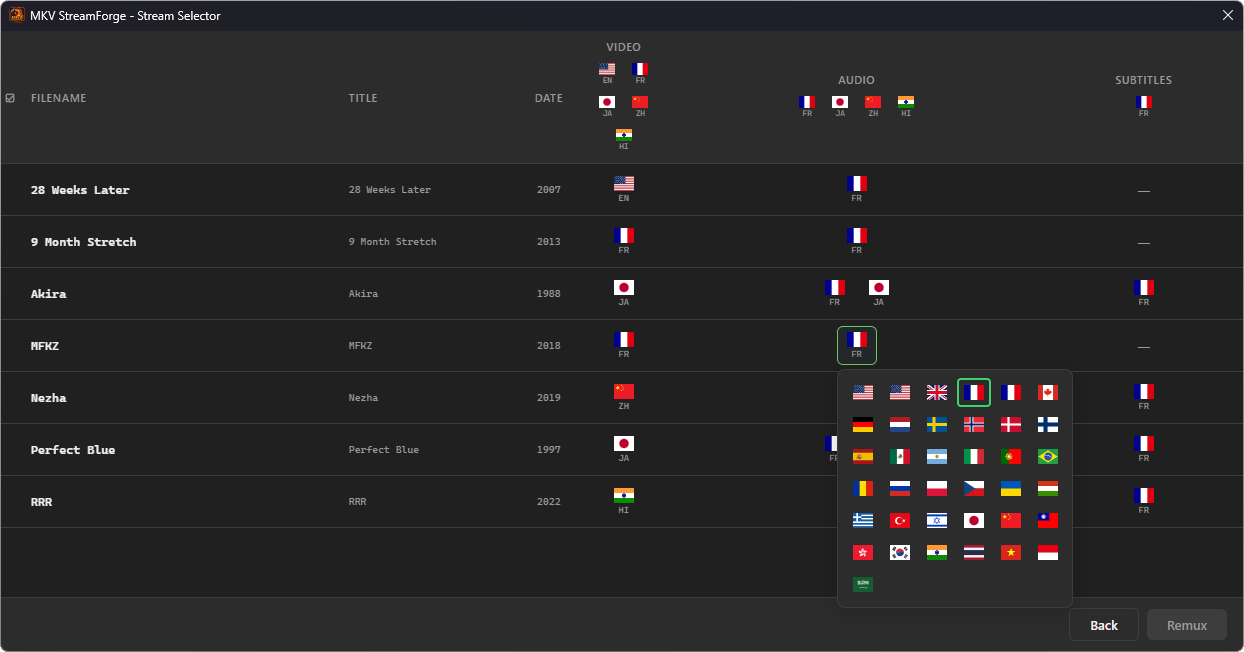
- Middle-click it to open the language picker and reclassify every track sharing that tag in one step. If the target language already has a chip, both merge into one.
Films: Title and Date columns
When the list contains non-episode files, the Title and Date columns show each film's metadata. An orange cell means the value is empty, conflicting, or inconsistent inside the file. Left-click to type a value, or right-click an orange cell to stage the one non-empty value it found.
💾 What Remux writes
The Remux button stays greyed out until at least one file has something to write. Then, each file gets the cheapest treatment that does the job:
- Metadata only — languages, roles, names, title, date: written directly into the file header with
mkvpropedit. No remux, nearly instant. - Track removal (or an MP4 source) — the file is rebuilt with
mkvmergeas a lossless stream copy, then atomically replaces the original. An MP4 becomes<name>.mkv. - Episodes — any file named like
SxxExxis renamed toSXXEXX.mkvas part of the apply. Films keep their name.
Your originals are safe
A remux is written to a temporary file first and only replaces the original once complete. If anything fails — say, the file is open in another program — the original is left untouched and the temporary file is cleaned up automatically.
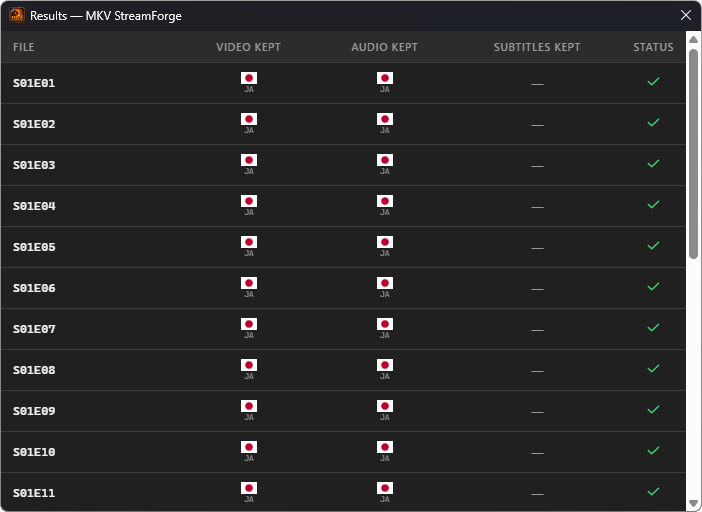
When processing finishes, a results summary lists every file with its retained tracks, sizes, and status — plus warning and error buttons when something needs a look.
🏷️ Special track roles
Some tracks have a special purpose. MKV StreamForge detects them — from real container flags, track-name keywords, or analysis — and overlays a small icon on the chip:
| Icon | Role | Applies to | Detected from |
|---|---|---|---|
| 🎧 Headphones | Hearing impaired | Subtitles | flag, or keywords like SDH, HI, CC |
| 👁 Eye | Audio description | Audio | flag, or keywords like AD, DVS, Narration |
| 💬 Speech bubble | Commentary | Audio | flag, or keywords like Commentary |
| 〰️ Wavy bubble | Forced subtitles | Subtitles | flag, the Forced keyword, or coverage analysis |
A role detected from keywords or analysis — but not yet recorded as a real container flag — turns the chip orange, and the next Remux writes it as a proper flag.
How forced subtitles are detected automatically
A forced subtitle track only covers the few scenes spoken in a foreign language, so it is far smaller than a full subtitle track. When the file carries statistics tags, MKV StreamForge compares subtitle tracks of the same language:
- Two or more tracks — the smallest is marked forced when it has at least 3× fewer cues than the next one.
- A single track — marked forced when it covers less than 10% of the movie's duration.
🌍 Language handling
MKV files store language in two fields — an old three-letter code (fre, ger, jpn) and a modern IETF tag (fr, de, ja, or regional variants like fr-FR).
Encoders fill them inconsistently; MKV StreamForge resolves both into one clean tag when files are probed, and flags any track whose stored value differs (orange chip → fixed at Remux).
Normalisation rules
| In the file | Resolved tag |
|---|---|
fre only |
fr |
fr-FR only |
fr-FR |
| both | fr-FR (the IETF tag wins) |
| neither | und (undetermined) |
Most regional variants add noise without value, so only the most relevant ones are preserved — everything else collapses to the base language:
| Family | Preserved | Collapsed |
|---|---|---|
| English | en-US, en-GB |
other en-* → en |
| Portuguese | pt-BR |
other pt-* → pt |
| Spanish | es-MX, es-AR |
other es-* → es |
| Chinese | zh-TW, zh-HK |
other zh-* → zh |
Other languages keep their regional tags as-is — fr-CA, for example, is a first-class choice in the picker.
When the source metadata is simply wrong, middle-click a chip (one track) or a filter chip (every track with that tag) and pick the correct flag — for subtitles, the picker also offers a Normal / Forced / Hearing-impaired role chooser.
Example — French:
| You pick | Tag | Use when |
|---|---|---|
| French | fr |
Generic French, origin unknown |
| French (FR) | fr-FR |
Dubbed or subtitled for France |
| French (CA) | fr-CA |
Canadian French (Quebec dubs) |